This page needs JavaScript switched on to build your invoice.
The Bold invoice template
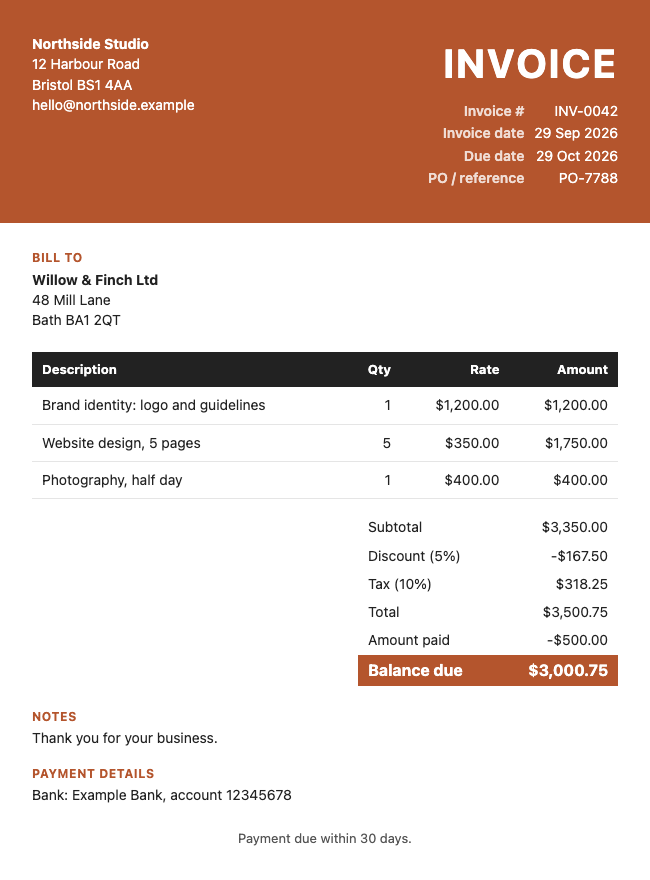
A large coloured block with a big title, a dark table header, and a filled total box. It is hard to miss, and it makes the amount due stand out.
How it looks
The total is set in a solid box in your chosen colour, so the amount due is the first thing the client sees.
Suits: trades, events, retail and any business that wants to be noticed.
How to use it
- Fill in your details and your client's details above. The invoice builds itself as you type.
- Add your lines, discount, tax and payment details.
- Change the colour, or add your logo, if you like.
- Save it as a PDF, Word or Excel file. Or try a different look from the Choose a look box.
Want more choice? See all the invoice templates, or go to the main invoice generator. Save your invoice as a PDF, Word or Excel file, or print it.
Questions people ask
Does the Bold template make the amount due stand out?
Yes. The balance due sits in a solid coloured box, which is the strongest visual on the page.
Will Bold work on a black and white printer?
Yes, though the colours turn to greys. Choose a darker colour if you print in black and white.
Is anything I type sent to a server?
No. The document is made inside your browser. Your business details and the last document are remembered on this device only, so you do not have to retype them, and you can wipe them with the link under the preview.
Related: Classic invoice · Modern invoice · Minimal invoice · Invoice generator