This page needs JavaScript switched on to build your invoice.
How it works in 3 steps
- 1Check the layoutThe formal invoice is already filled in with sample lines. Change, add or delete any line.
- 2Add your detailsType your business name, your client and the amounts. Tax and totals are worked out for you.
- 3Download itSave it as a PDF, a Word file (.docx) or an Excel file (.xlsx), or print it.
The Formal invoice template
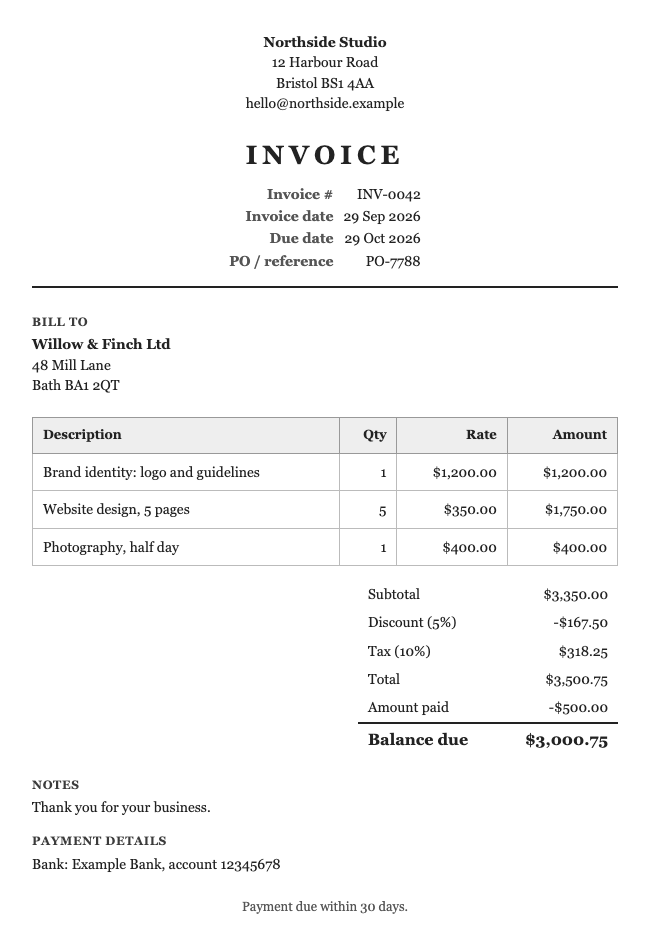
A traditional, serif layout with a centred title and a gridded table. It has the look of a formal business document.
How it looks
The title is centred over a rule, and the item table has a full grid, like a ledger.
Suits: law, accounting, property and other traditional professional services.
How to use it
- Fill in your details and your client's details above. The invoice builds itself as you type.
- Add your lines, discount, tax and payment details.
- Change the colour, or add your logo, if you like.
- Save it as a PDF, Word or Excel file. Or try a different look from the Choose a look box.
Want more choice? See all the invoice templates, or go to the main invoice generator. Save your invoice as a PDF, Word or Excel file, or print it.
When to choose the Formal look
The Formal look is for businesses where a traditional document is expected. A centred title, a serif typeface and a gridded table give the invoice the feel of a ledger or a legal letter. It suits solicitors, accountants, surveyors, estate agents and similar professions, and anyone invoicing public bodies or large corporates.
Getting the best out of it
The grid makes it easy for a finance team to check the figures line by line, which can help your invoice get approved faster. Keep descriptions short and precise, because a full grid shows every cell border.
Printing, PDF and Word
In PDF this look uses a standard Times typeface so it appears the same on every device. In Word the typeface follows what is installed on the reader’s computer.
A worked example: the Formal look on a real job
A solicitor’s clerk bills for a document-preparation job. A centred heading, a serif typeface and a ruled table give the page the look of a traditional business document.
| Description | Qty | Rate | Amount |
|---|---|---|---|
| Preparation of lease documents | 1 | 450.00 | 450.00 |
| Land Registry search fees (at cost) | 1 | 7.00 | 7.00 |
| Courier delivery | 1 | 14.00 | 14.00 |
| Subtotal | 471.00 | ||
| VAT (20%) | 94.20 | ||
| Total | 565.20 |
Example figures only. Your own prices, tax and terms will differ.
Change the look at any time with the Choose a look box. The lines and totals stay exactly as they are; only the styling changes.
Why some clients expect a traditional layout
Professional firms, public bodies and long-established companies often prefer documents that look traditional. The Formal look uses a serif typeface (Times New Roman in the Word version) and a full grid around the table. It suggests care and accuracy before a word has been read.
The grid helps with accuracy. Every amount sits in a cell, which makes it easy to check a figure against its line, even on a printed copy.
A formal layout works best with plain wording. Short, exact descriptions, such as “Preparation of lease documents”, fit the style better than chatty ones.
If you are invoicing a creative client, Formal may feel stiff. In that case Modern or Bold may suit them better. The nice thing is that you can try each look on the same invoice and compare, because nothing is lost when you switch.
Questions people ask
What fonts does the Formal template use?
A serif face, such as Times or Georgia, depending on where you open it. In PDF it uses a standard Times font.
Is the Formal template suitable for law firms and accountants?
Many professional firms like a traditional look. It is a matter of taste, and you can switch looks at any time.
Is anything I type sent to a server?
No. The document is made inside your browser. Your business details and the last document are remembered on this device only, so you do not have to retype them, and you can wipe them with the link under the preview.
Related: Classic invoice · Modern invoice · Minimal invoice · Invoice generator