This page needs JavaScript switched on to build your invoice.
The Minimal invoice template
A quiet, uncluttered layout with thin lines and no filled blocks. It saves ink and lets your numbers do the talking.
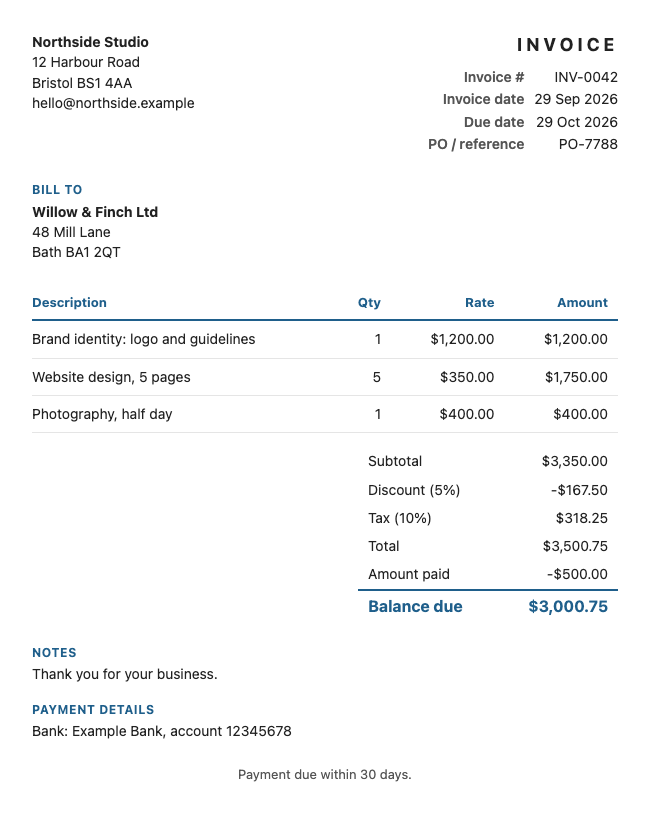
How it looks
There is no coloured fill. Your colour appears only in headings and a thin rule.
Suits: consultants, writers, and anyone who prefers a plain, understated invoice.
How to use it
- Fill in your details and your client's details above. The invoice builds itself as you type.
- Add your lines, discount, tax and payment details.
- Change the colour, or add your logo, if you like.
- Save it as a PDF, Word or Excel file. Or try a different look from the Choose a look box.
Want more choice? See all the invoice templates, or go to the main invoice generator. Save your invoice as a PDF, Word or Excel file, or print it.
Questions people ask
Is the Minimal template good for printing?
Yes. With no filled areas, it prints cleanly and uses little ink.
Can I add my logo to the Minimal template?
Yes. It sits at the top left with your details, and the plain layout keeps it in focus.
Is anything I type sent to a server?
No. The document is made inside your browser. Your business details and the last document are remembered on this device only, so you do not have to retype them, and you can wipe them with the link under the preview.
Related: Classic invoice · Modern invoice · Formal invoice · Invoice generator